


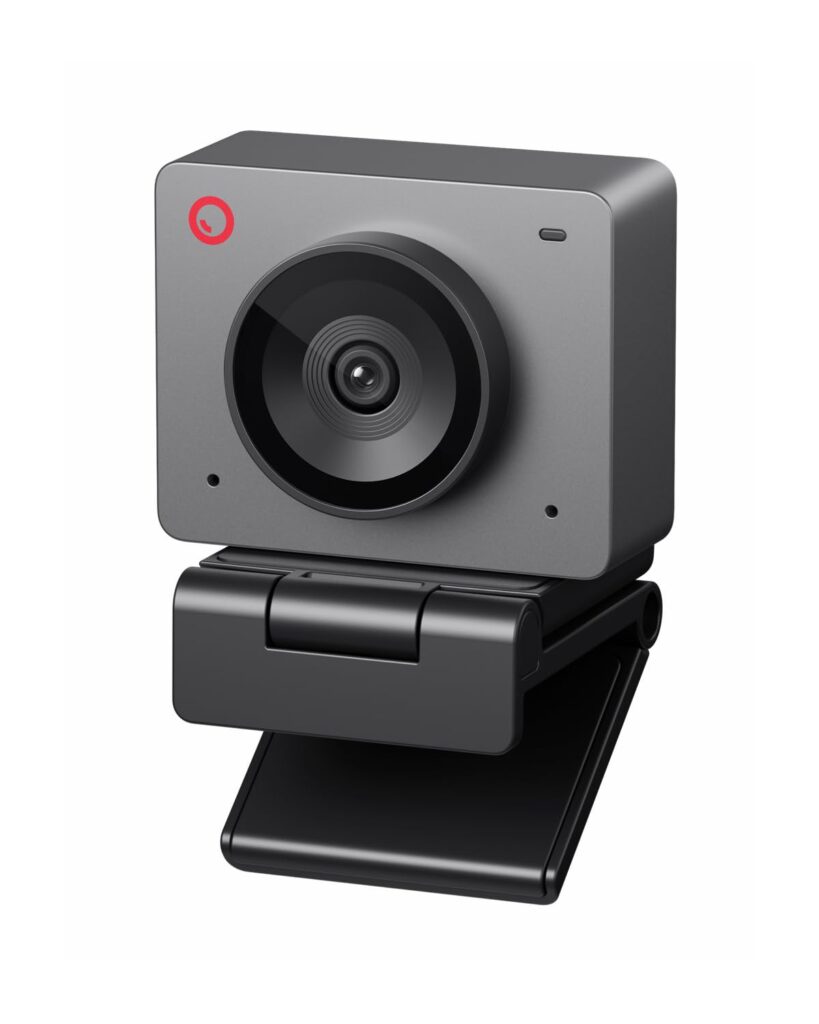
The OBSBOT Meet SE is a 1080p webcam that does 100 frames per second, and the hundred frames is the interesting part. Most webcams in this price range top out at 30. OBSBOT is a streaming camera company that has been doing the AI framing thing longer than almost anyone, and the Meet SE is the entry point into that stack: a 1080p sensor, 100fps, and the same auto framing that the bigger cameras run.
The Spec
| Resolution | 1080p at 100fps, 1080p at 60fps, 720p at 150fps |
|---|---|
| Sensor | 1/2.8 inch CMOS |
| AI framing | auto framing with human tracking, portrait and landscape and upside-down shooting modes |
| Zoom | 4x digital |
| Control | PC, gesture, remote, or Stream Deck |
| Connection | USB-C, plug-in use, no storage |
| Price | $69.00, rated 4.3 out of 5 across 2,186 ratings |
The Frame Rate
A hundred frames per second is the spec that separates this from everything else at the price. Thirty frames is fine for a call, and sixty is fine for most streaming. At a hundred you can slow the footage down afterward and still have clean motion, which is the difference between a clip you can cut into and a clip that smears. OBSBOT publishes 1080p at 100fps and 720p at 150fps, and the listing notes that 100fps capture needs the extra output options in the OBSBOT software rather than the default mode, so it is a setting to turn on rather than a switch to flip.
The AI Framing
Auto framing is the feature that made OBSBOT a streaming brand, and it is what the Meet SE is really selling. The camera tracks a person and holds them in frame as they move, with human tracking as the target type. In a fixed desk setup that means leaning in and out stays in shot, and standing up does not produce the half-cropped-head shot you get from a laptop camera. It also shoots portrait and upside-down, which matters for vertical formats.
The Setup
It is a USB-C plug-in camera with no storage, which means everything runs through the computer and nothing needs a card or a dock. Control works from the PC, by gesture, by remote, or through a Stream Deck, and exposure is automatic or manual depending on what you are doing. The sensor is 1/2.8 inch CMOS, which is a normal size for a webcam at this price and is the main reason the picture is acceptable rather than excellent in low light.
Who It Is For
Somebody who streams, or records talking-head video, and wants slow motion without a second camera. That is the person the hundred frames is for. For a person who only needs a camera for calls, this is better than the laptop camera and worse value than a plain 1080p at thirty, and the auto framing will make you look better on a call whether you care about that or not. For a fixed studio setup with a long lens, the framing helps and the sensor will not compete with a dedicated camera.
The Verdict
Sixty-nine dollars for 1080p at 100fps with real AI framing is a genuinely good streaming camera, and 2,186 ratings at 4.3 out of 5 is a lot of owners for a product in a niche corner of the market. The hundred frames is the thing to buy it for, and you need the software setting turned on to actually get them. It is not a low light camera and the sensor will not pretend to be one. If you record anything you might want to slow down, this is the one to get.
Common Questions
Does the OBSBOT Meet SE really do 100fps?
Yes, up to 1080p at 100fps, and it also does 720p at 150fps. The listing notes that to capture at 100fps you need to use the more output options in the OBSBOT software, so it is a setting to enable rather than a default you get out of the box.
What does the AI framing actually do?
It tracks a person and keeps them in frame as they move, with human tracking as the target type. In practice that means leaning closer to the camera or standing up does not produce the cropped-head framing a fixed camera gives you. It also supports portrait and upside-down shooting modes for vertical formats.
Can I use it without installing anything?
It is USB-C and plug-in use, with no storage and no media, so it runs straight off the computer with no card and no dock. You do need the OBSBOT software for the extra output options if you want the 100fps mode.
Is it good in low light?
It has a 1/2.8 inch CMOS sensor, which is a normal size for a webcam at this price. That is enough for a well-lit room and a well-lit face. If your setup is dark, no webcam at sixty-nine dollars is going to rescue it, and the hundred frames will not either.
Ready to buy a webcam? Support the channel.
Disclosure: Some links on this page are affiliate links. If you buy through them we may earn a small commission at no extra cost to you. Price and availability are set by the retailer and can change.